MiniMax released the weights for MiniMax-H3-Image today, with no announcement cycle and no waitlist. It is the H3 video model with the audio branch cut out, and it generates at 4096 by 4096 in six sampling steps.
I spent the afternoon running it locally in ComfyUI on two RTX 4090s. Thirteen prompts, thirteen outputs, all of them below. Some of it is the best text rendering I have seen from an open model. Some of it is worse than the video model it came from.
What it is
A 33.1B dense single-stream diffusion transformer. Fifty layers, hidden size 5376, 56 attention heads, FFN 14336, 3D multimodal RoPE. The text encoder is the full Qwen3-VL-32B from H3, unchanged, read at its 50th layer. The image VAE is a CNN encoder with a 24-layer ViT decoder, 16x spatial downsampling, 24 latent channels, and a 2x2 patch on top of that, so each transformer token covers 32 by 32 pixels.
Three numbers define how you use it:
- Six steps, CFG 1. There is no classifier-free guidance pass, which means no negative prompt. The template zeroes the negative conditioning. Everything you want to avoid has to be described as a visible property of what you do want.
- About 16 MP native. 4096x4096 is a single pass, not an upscale chain. 5472x3072 for wide, 6272x2688 for 21:9.
- One checkpoint for generation and editing. Up to 16 reference images, addressed as
<Picture 1>through<Picture 16>.
ComfyUI has native support from 0.45.0 through the MiniMaxH3ImageConditioning node, with no custom packs and no LoRAs. The w4a8 build is 12.5 GB, which leaves about 11 GB of headroom on a 24 GB card at 16 MP.
Text is the headline
Every image model claims to render text. This one does it at length, in multiple lines, with correct spelling, at a size where you can read it.
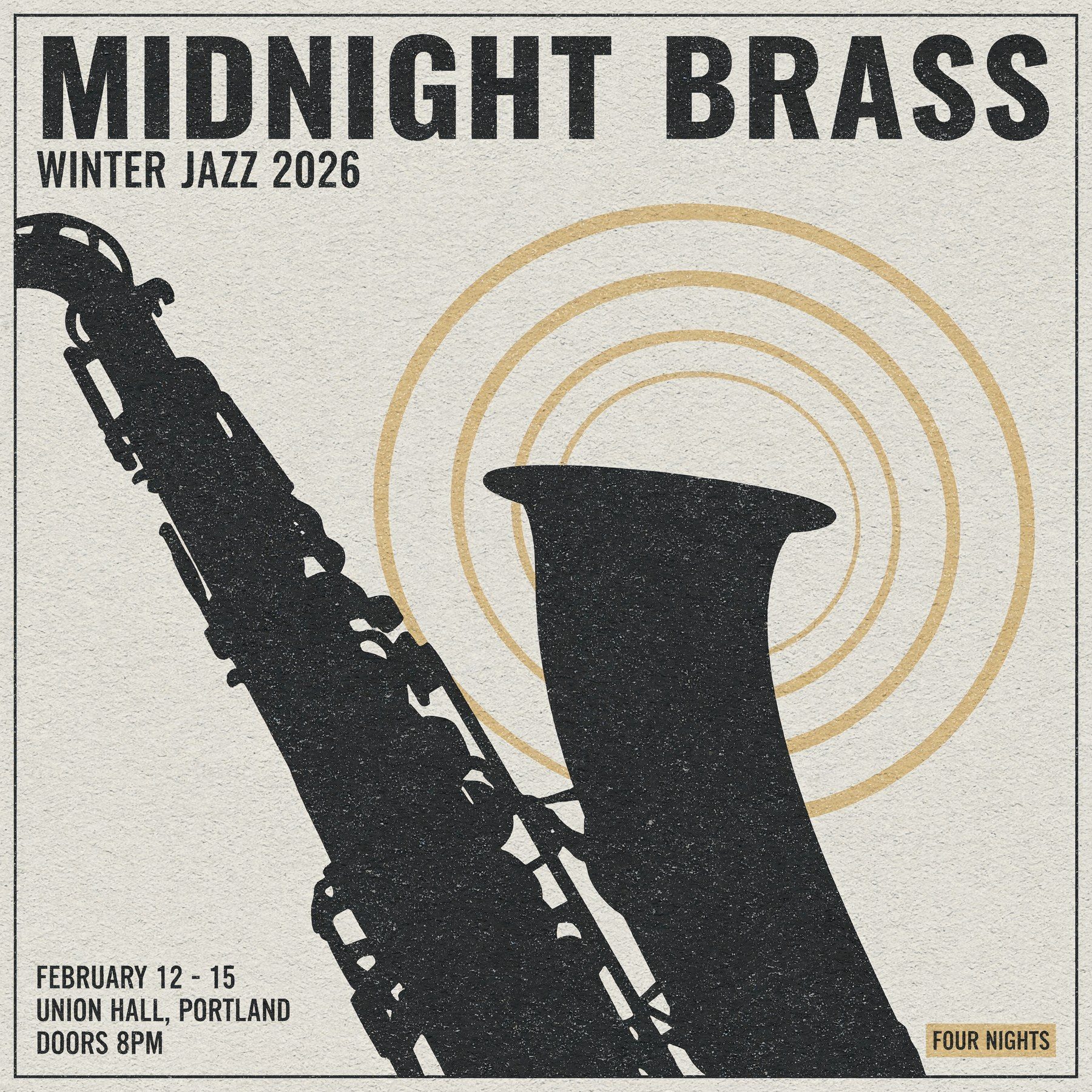
I gave it a jazz festival poster with a headline, a subtitle, a three-line date block and a badge. Six separate strings, two typefaces, one of them set in a specific ink.

4096x4096, 27.0 s. “MIDNIGHT BRASS”, “WINTER JAZZ 2026”, “FEBRUARY 12 - 15”, “UNION HALL, PORTLAND”, “DOORS 8PM”, “FOUR NIGHTS”. Every string correct, first try, and the three-line block is left-aligned in the order I asked for.
Then I pushed harder: a hardback book cover with a title split across two lines, a subtitle, an author name, and the same title repeated vertically on the spine.
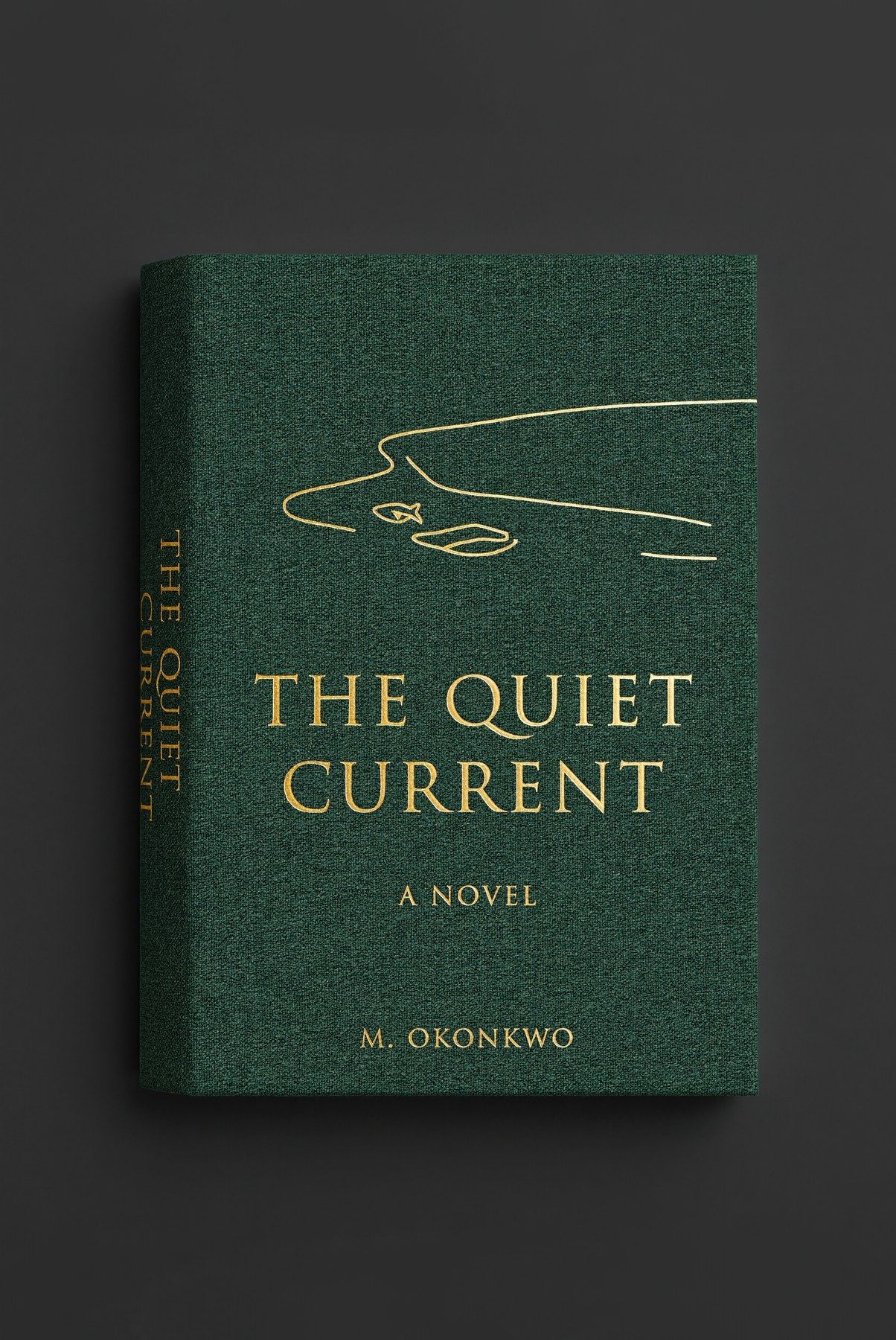
3360x5024, 28.9 s. “THE QUIET CURRENT” over two lines, “A NOVEL”, “M. OKONKWO”, and the spine set sideways. All of it exact, including the spine.
The hardest test was a full infographic: a four-band layout with a schematic, four numbered cards each carrying a label and a sentence of body copy, and a three-row specification table.
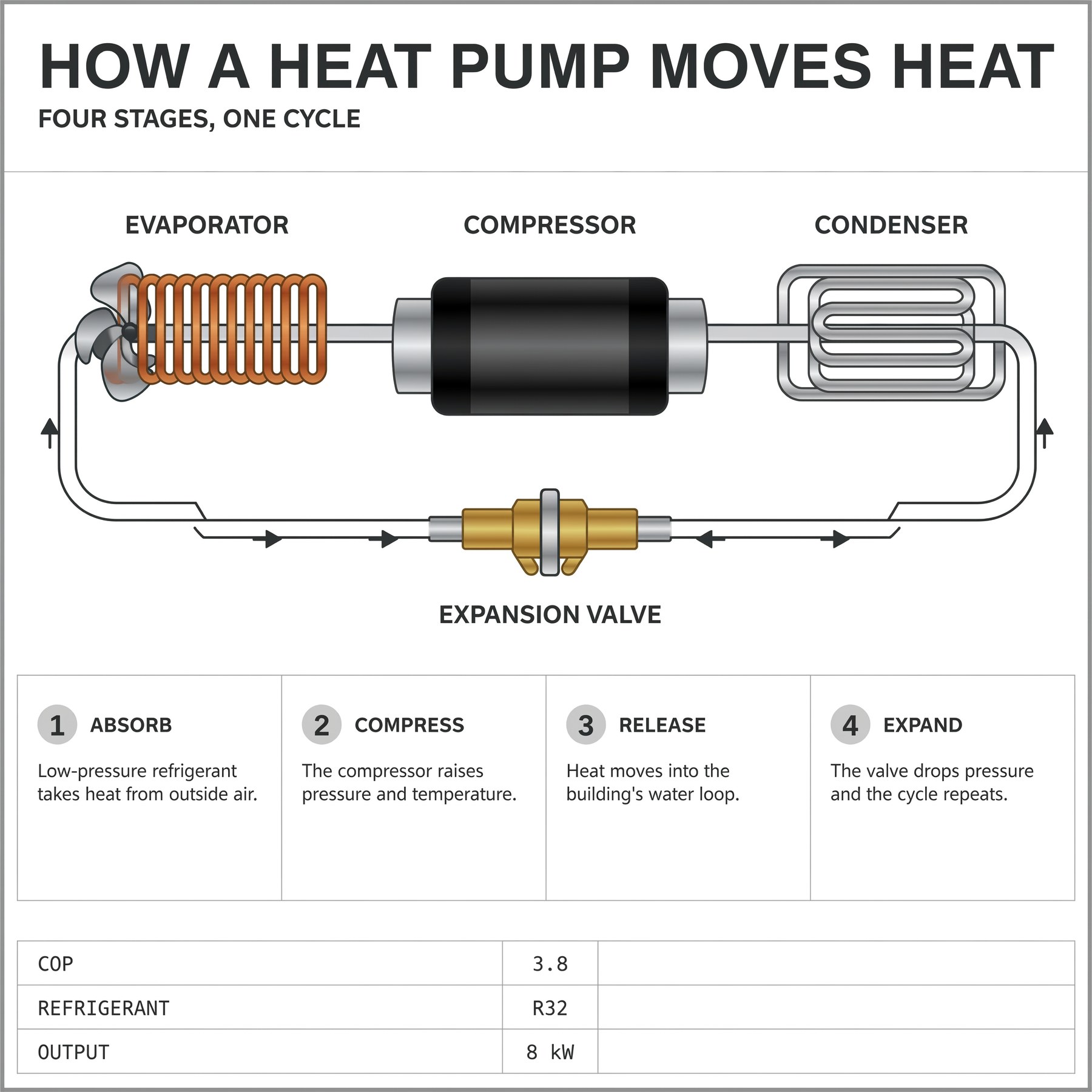
4096x4096, 25.6 s, from a 260-word prompt. Sixteen separate text elements, including full sentences inside the cards and a spec table reading COP 3.8, REFRIGERANT R32, OUTPUT 8 kW. No garbling.
For comparison, Krea 2, Flux Klein and MOSS-Image all fall apart somewhere past three or four words of exact text. This model reads a paragraph of layout instructions and builds the layout.
The rule that makes it work: quote the exact string, say where it sits, and say how it is set. If you leave the label colours unspecified, it assigns a different colour to every label, which looks like a mistake.
Photoreal, and where it slips
The model is tuned for detail and texture, and it avoids the plastic sheen that most open image models produce.
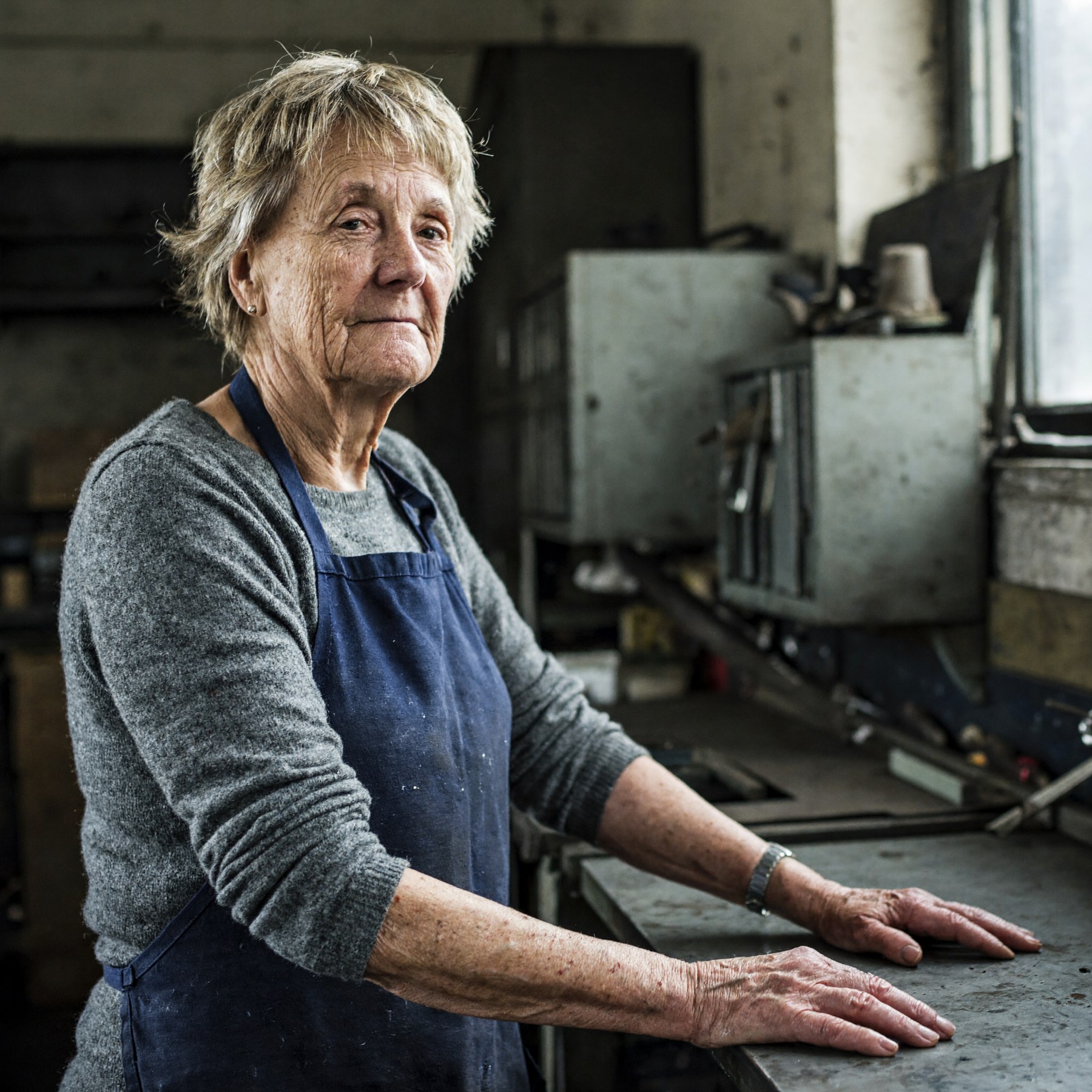
4096x4096, 26.4 s. Skin texture, sun damage, veins in the hands, the raking window light from screen-right. This is the strongest photoreal output of the run.
Look at the right hand. The fingers are slightly long and the joints are soft. That is the failure mode: it renders age and texture convincingly, then loses structural logic in the extremities.
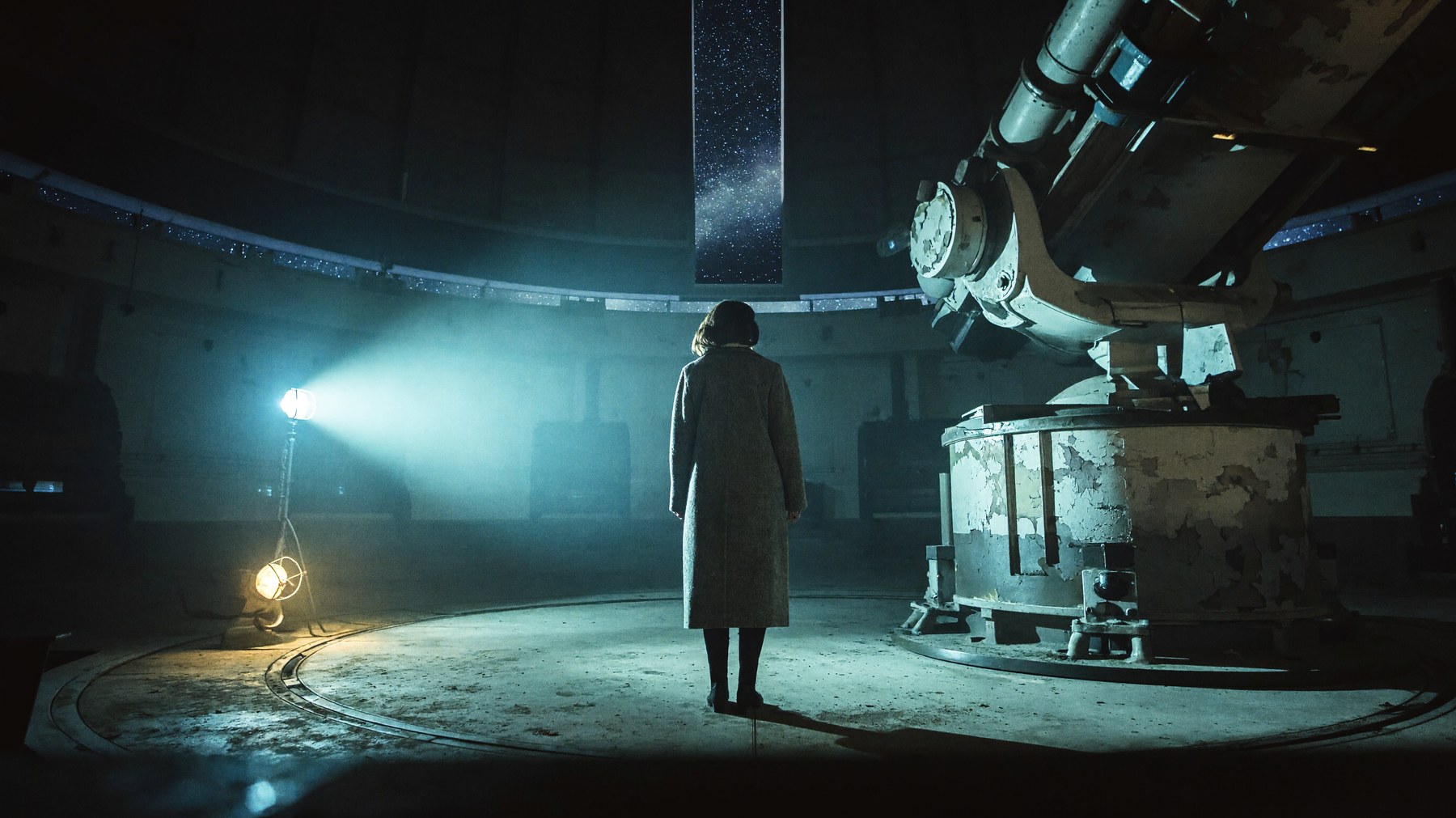
5472x3072, 29.3 s. Every element landed: the peeling telescope mount, the caged lamp, the brass floor track, the star field through the slit.
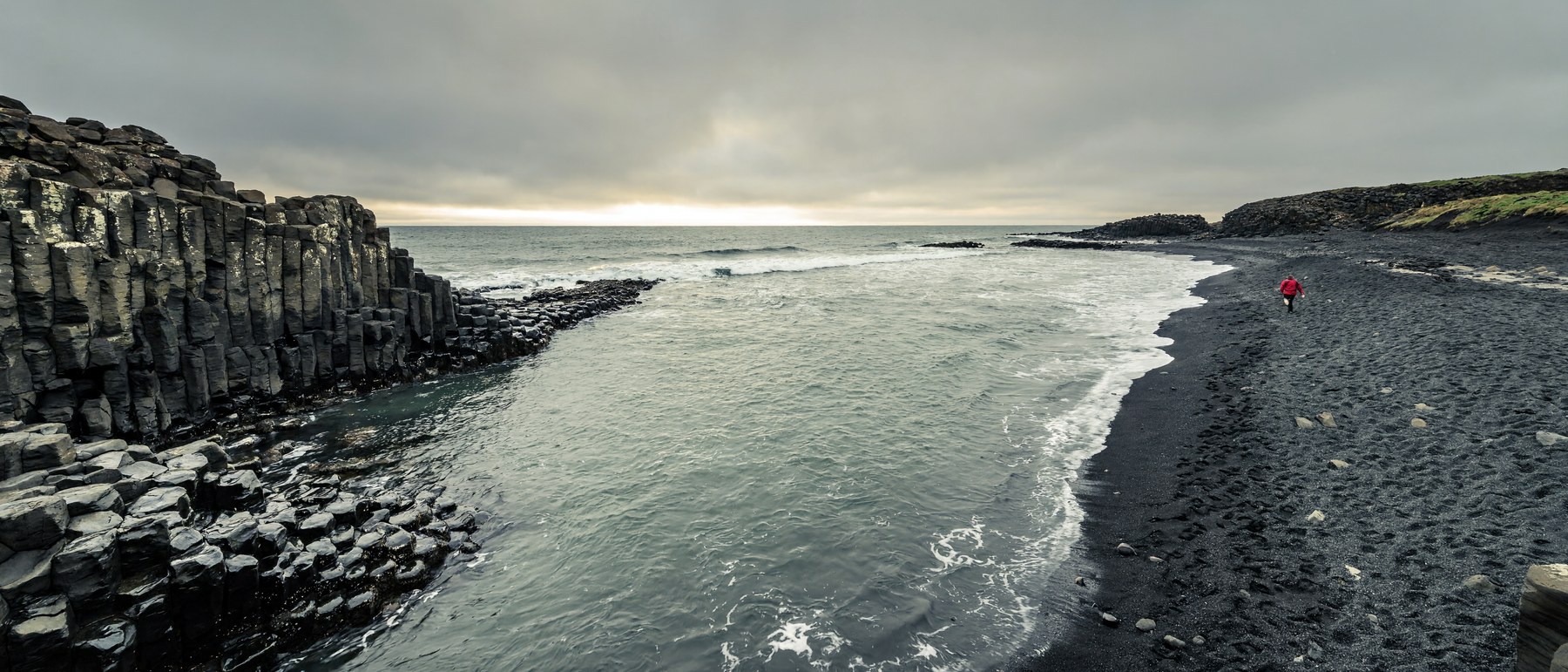
6272x2688, 27.7 s. The 21:9 canvas costs the same as square. No stitching seams, no duplicated rocks, and the tiny red figure is doing real compositional work at that scale.
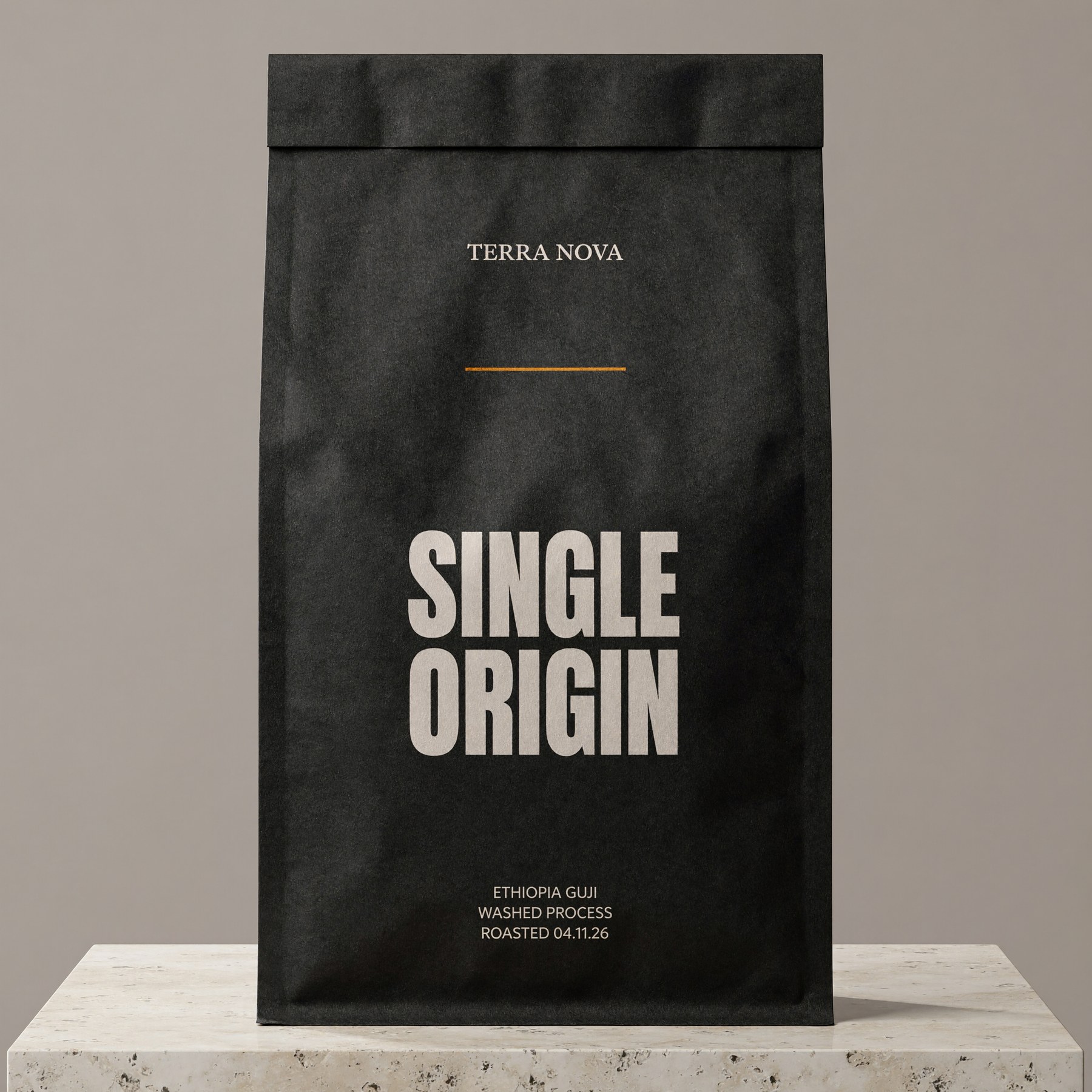
4096x4096, 163 s on a cold process. The long time is the 27 GB text encoder loading, not the sampling. Warm-up runs land in the twenties.
Illustration holds up too
Most photoreal-tuned models produce illustration that looks like a photograph with a filter on it. This one switches registers cleanly when the prompt names the medium.
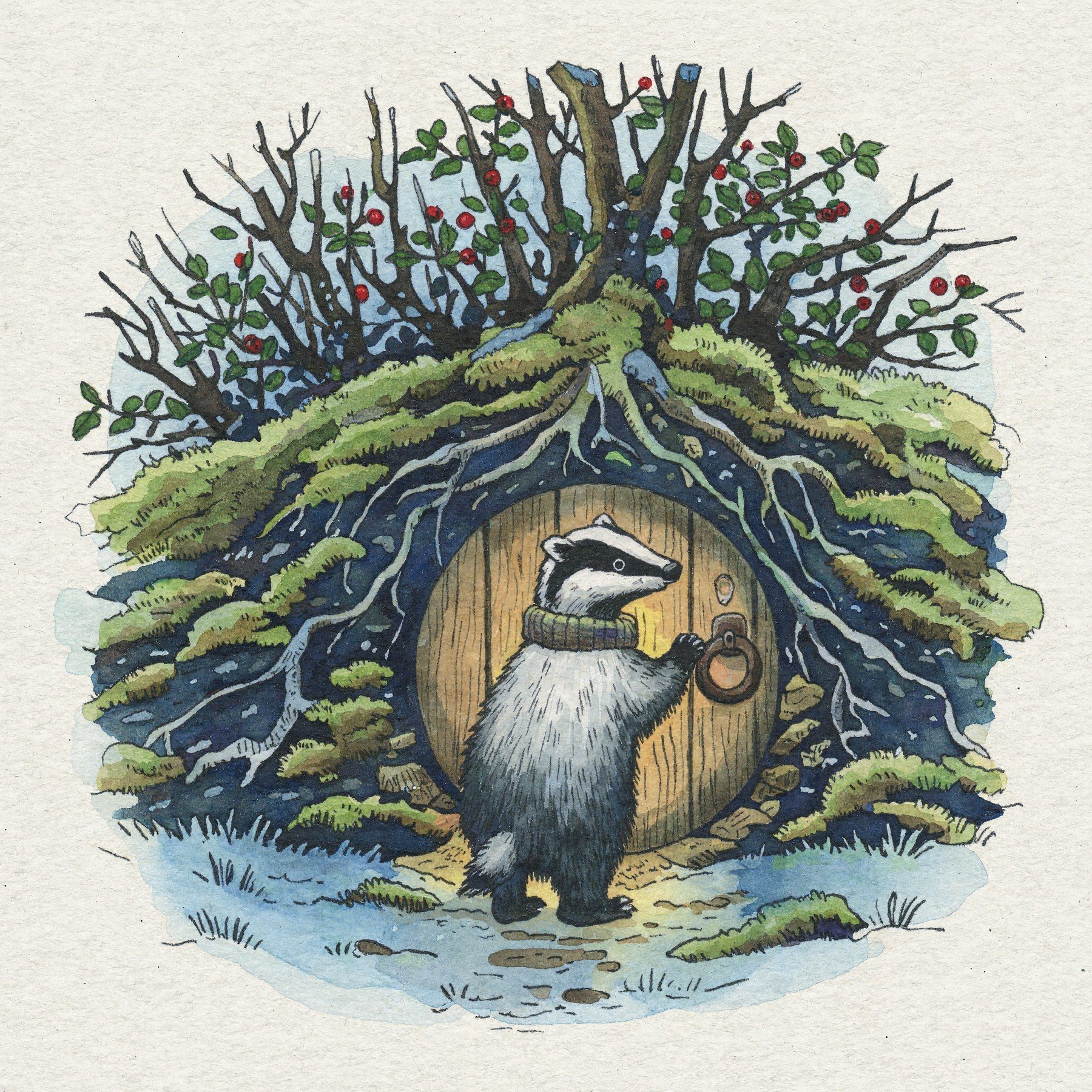
4096x4096, 159 s on a cold process. Gouache and coloured pencil on textured paper: visible pencil underdrawing, soft edges, paper grain through the whole frame, and a limited palette of ochre, moss green, slate blue and cream. It reads as a painting, not a render.
The prompt named the medium, the paper, the palette and the light direction, and it followed all four. The one thing it added on its own was a circular vignette, which I did not ask for. That is a mild compositional liberty rather than a defect, but it is a reminder that this model fills gaps you leave open.
Layout-heavy work
Two prompts tested whether it can hold a grid.
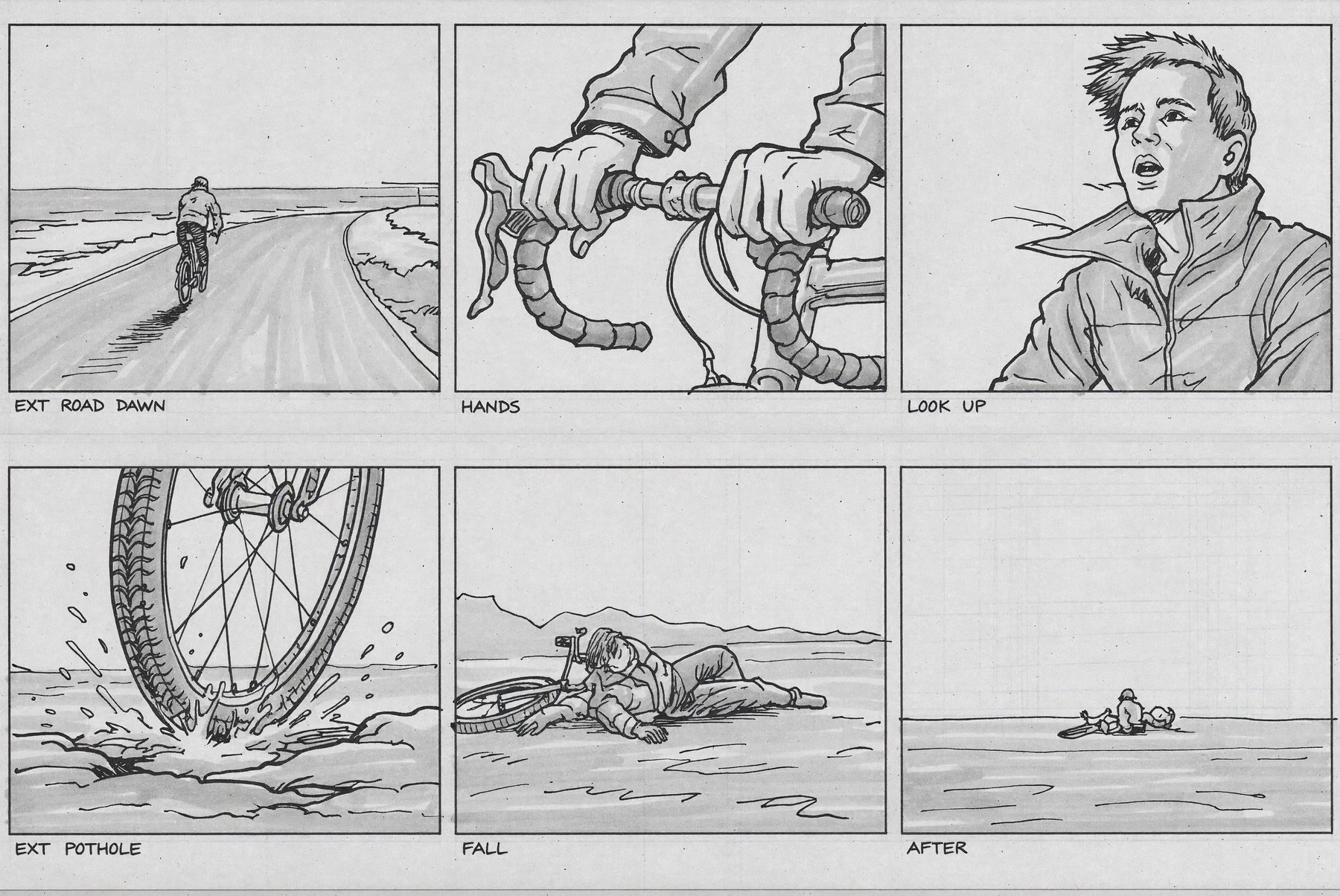
5024x3360, 25.1 s. Six panels, correct reading order, and five of six captions exact: “EXT ROAD DAWN”, “HANDS”, “LOOK UP”, “FALL”, “AFTER”. The fourth came back as “EXT POTHole”, mixing cases mid-word.
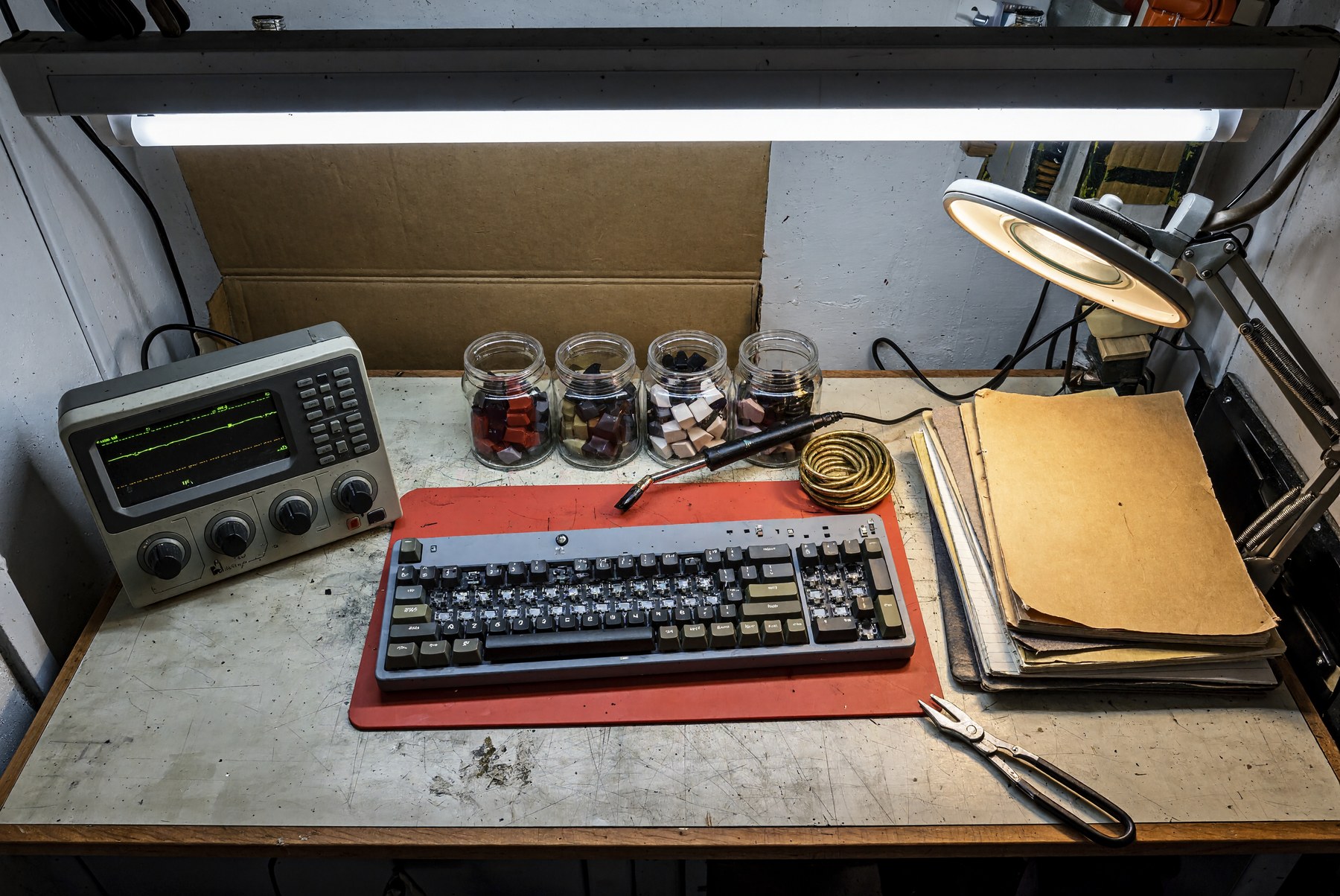
5024x3360, 26.9 s. Seven elements requested, six landed in the right place with the right material. The keyboard came back face up instead of face down, and the parts box flattened into a cardboard backstop.
The pattern is consistent: it gets counts, positions and materials right, and it drops or inverts a specific orientation detail. If an instruction is “face down” or “upside down” or “pointing left”, check it.
Editing, three ways
The same checkpoint does edits, and the behaviour splits cleanly by how far you move from the source.
A local attribute change works almost perfectly. I asked it to turn the machinist’s navy apron oxblood red and preserve everything else.
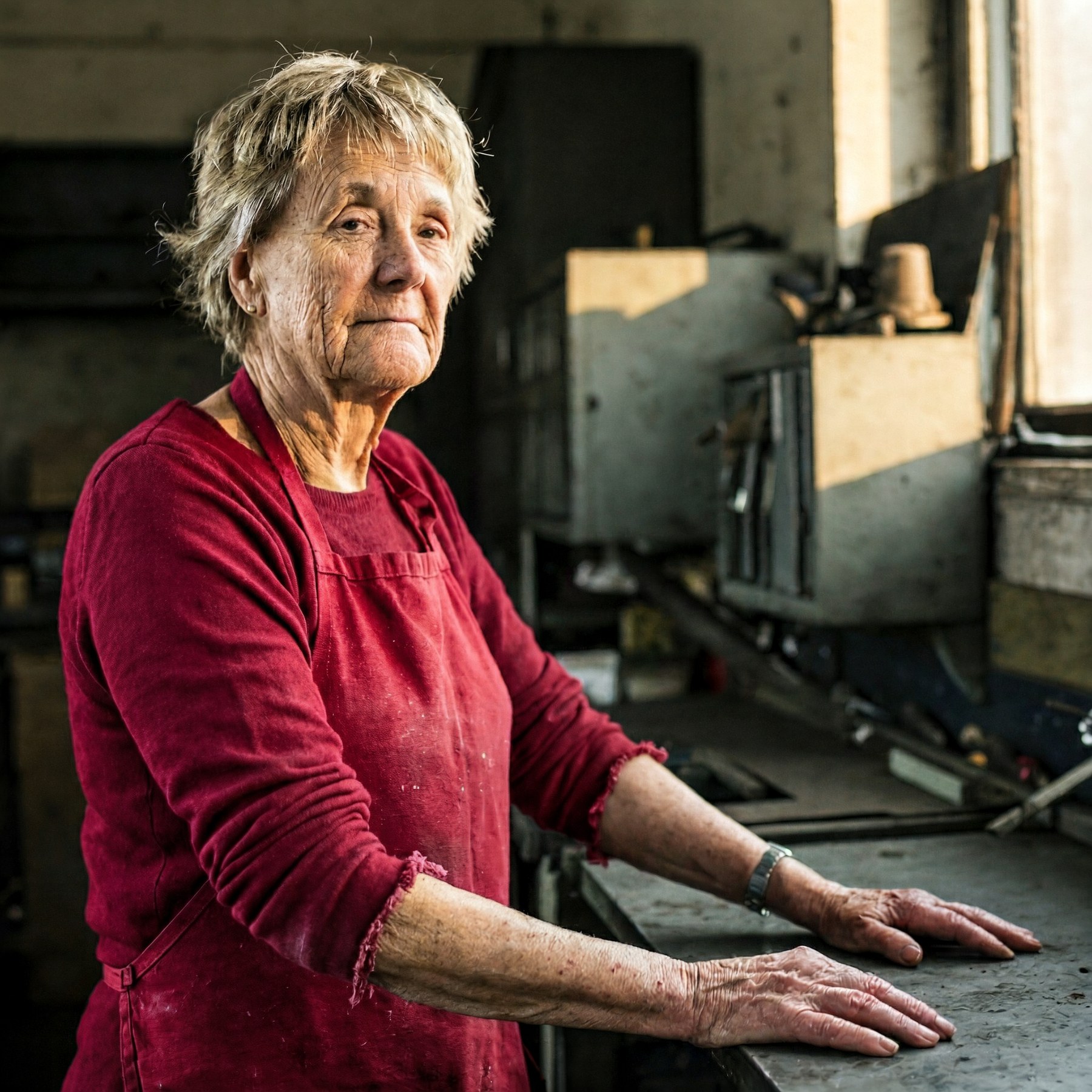
2048x2048, 16.2 s. Face, hair, hand pose, background cabinets and lighting direction all preserved. The canvas follows <Picture 1> when you set width and height to 0.
A style transfer works better than it should. I asked for the coastal panorama as a Japanese woodblock print.
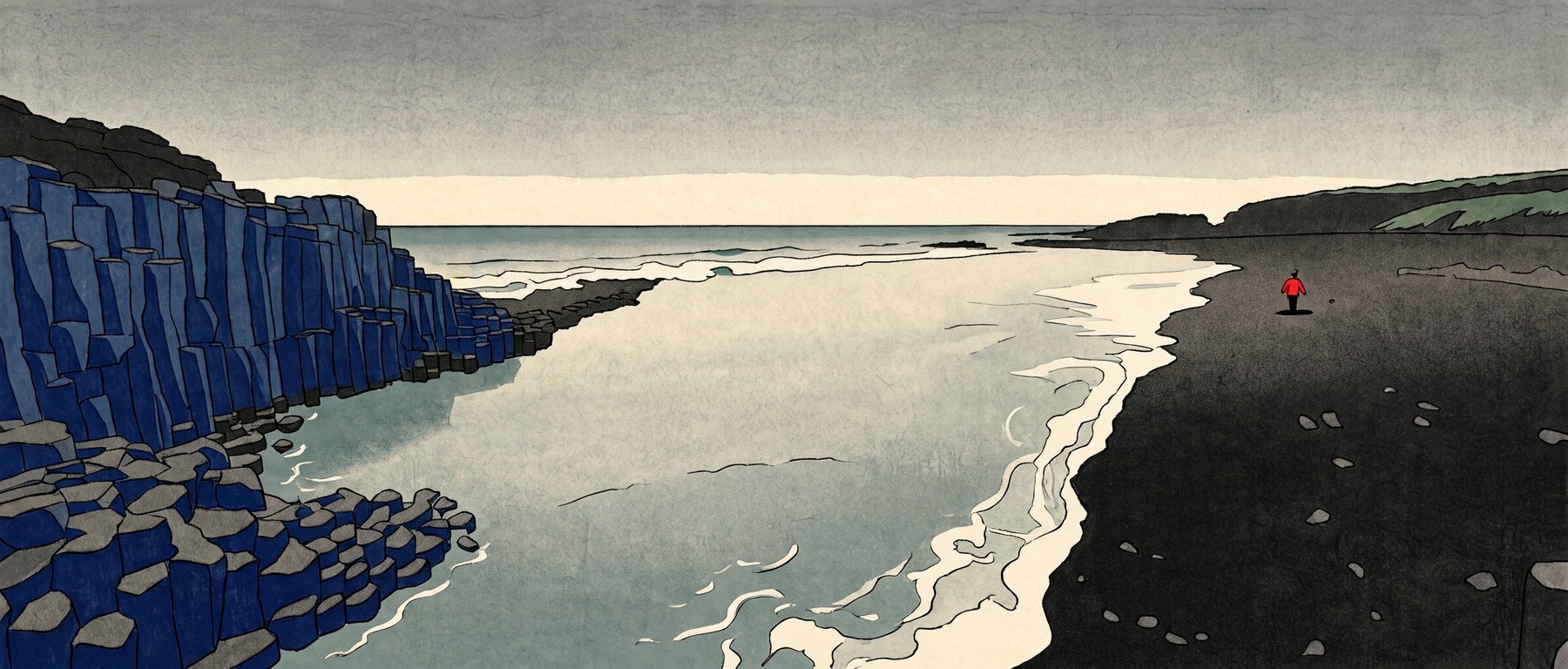
2400x1024, 14.8 s. Flat colour planes, carved keyblock outlines, paper grain, and the composition held exactly: basalt left, sea centre, figure right.
Object replacement lands the geometry and fails the lighting. I put the coffee pouch into the coastal scene.
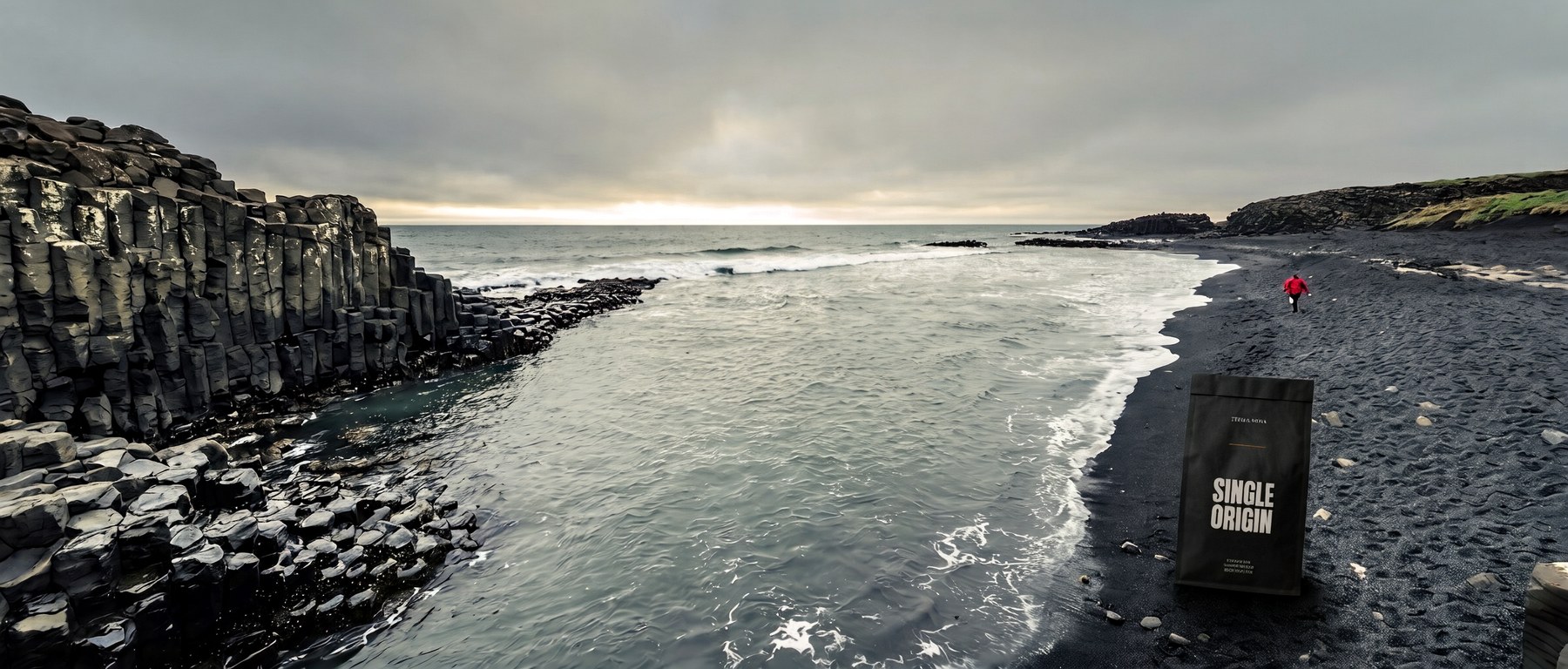
2400x1024, 26.4 s. The pouch is in the right place at the right scale. It has no contact shadow, it reads as composited rather than standing in the scene, and its label text degraded to “TRAMA ROJA”.
That last one is the honest limit. Reference-anchored edits keep what the reference shows and lose what it does not: a pouch photographed on a plinth in studio light does not know how to sit on wet sand under an overcast sky. The model copies the object’s lighting rather than solving for the new one.
What it costs to run
Measured on two RTX 4090s at 24 GB, ComfyUI 0.45.0, w4a8 DiT.
| Workload | Size | Wall time |
|---|---|---|
| Portrait | 4096² | 26.4 s |
| Poster | 4096² | 27.0 s |
| Infographic | 4096² | 25.6 s |
| Storyboard | 5024×3360 | 25.1 s |
| Book cover | 3360×5024 | 28.9 s |
| Panorama | 6272×2688 | 27.7 s |
| Cinematic still | 5472×3072 | 29.3 s |
| Edit, local attribute | 2048² | 16.2 s |
| Edit, style transfer | 2400×1024 | 14.8 s |
| Edit, object replacement | 2400×1024 | 26.4 s |
Resolution barely moves the clock. A 21:9 panorama at 16.9 MP costs 1.3 seconds more than a square at 16.8 MP. The work scales with pixel count, not with aspect ratio, and six steps is six steps.
The first run in a fresh ComfyUI process is the exception. It pays the 27 GB text-encoder load, which took 163 seconds on one machine and 159 on the other. After that, everything sits in the twenties.
Three files, all from the Comfy-Org mirrors:
| File | Folder | Size |
|---|---|---|
minimax_h3_image_pruned_w4a8.safetensors | models/diffusion_models | 12.5 GB |
qwen3vl_32b_minimax_h3_int8_convrot.safetensors | models/text_encoders | 27.1 GB |
minimax_h3_image_vae_fp16.safetensors | models/vae | 1.2 GB |
The text encoder is shared with H3 video. If you already run H3, you have it.
Do not A/B a seed across the w4a8 and int8 builds. They are not the same model at different precision: on the same seed and prompt they differ by 18 to 18.4 dB, which is a different composition, not a different amount of detail. Pick one and stay on it.
Where it fails
The community reception today was split, and the complaints are worth taking seriously because they line up with what I measured.
The top-voted criticism in the r/StableDiffusion launch thread was that faces are weak. “The faces are just as low-quality as they are in the video version,” one commenter wrote, with a crop to prove it. I did not hit that on the portrait, but I used a 158-word caption that described the face in detail. Short prompts get you the model’s default face, and the default face is soft.
Second: the prompt expander censors. Several people reported that asking for anything with nudity returned a refusal rendered as an image, and that turning the expander off fixed it. The expander is a separate Qwen3.5-9B that rewrites your prompt, and it will inject its own judgment into the rewrite. The Comfiest graphs do not ship it, which is the right call if you want to know what your prompt actually said.
Third: the license. More on that below.
Two smaller ones I can confirm myself. Orientation words get dropped, as the keyboard and the storyboard caption show. And object edits copy the reference’s lighting instead of solving for the scene’s.
The license
MiniMax-H3-Image ships under a community license agreement, not an open-source license, and it is narrower than most.
The Applicable Territory is worldwide excluding the European Union, the United Kingdom, the Republic of Korea and the United States of America. The agreement states that you may not use, reproduce, modify, distribute or display the works or their outputs outside that territory. Commercial use above $1M annualized revenue, or any hosted service, needs written authorization from MiniMax.
That is a real constraint for a lot of people reading this. If you are in the US, the EU, the UK or Korea, the weights are downloadable and the model runs, but the license does not grant you the right to use the outputs there. MiniMax has an application link for the excluded territories, and people in the H3 video thread reported getting approved quickly, so it is a form rather than a wall. It is still a form you have to fill in before you ship anything.
Compare that to Ming-3.0-tts under MIT, or Krea 2’s permissive terms, and the legal risk is the larger difference between the models, not the benchmark score.
Bottom Line
The text rendering is the reason to care. Sixteen separate text elements in a single 25-second pass, with a spec table and full sentences, is a capability no other open image model has. If you make posters, packaging, book covers, infographics, UI mockups or anything with a layout and words in it, this replaces a design tool plus an afternoon.
The photoreal work is good but not class-leading. It renders texture and age beautifully and then loses finger joints. Krea 2 is still the better portrait model, and it fits on a 12 GB card.
The editing is the surprise. Local attribute changes are near-perfect, and the style transfer held composition better than any img2img I have run. Object replacement is the weak spot, and it fails in a specific way you can predict: the object arrives with its own lighting.
Two things to decide before you build on it. The license excludes four major markets, and the 27 GB text encoder means the first run of any session costs three minutes. Neither is a dealbreaker for local creative work. Both matter if this is going into a product.
Sources
- Model card and weights: MiniMaxAI/MiniMax-H3-Image
- License: MiniMax-H3-Image Community License Agreement
- Comfy-Org mirrors: MiniMax-H3-Image, MiniMax-H3 text encoder
- ComfyUI tutorial: MiniMax-H3-Image: 16 MP text to image and image editing
- Comfy product page: MiniMax H3 Image
- Prompt expander: MiniMaxAI/MiniMax-H3-Image-PE
- Day-0 serving support: vLLM-Omni recipe, SGLang cookbook
- Community threads: r/StableDiffusion launch thread, Comfy weights thread, r/LocalLLaMA
Every image in this post was generated locally on an RTX 4090 through ComfyUI 0.45.0 with the w4a8 build, using the prompts as written. Wall times are from the ComfyUI execution log. Images are downscaled to 1800 px on the long edge for the web; the originals are 16 MP.