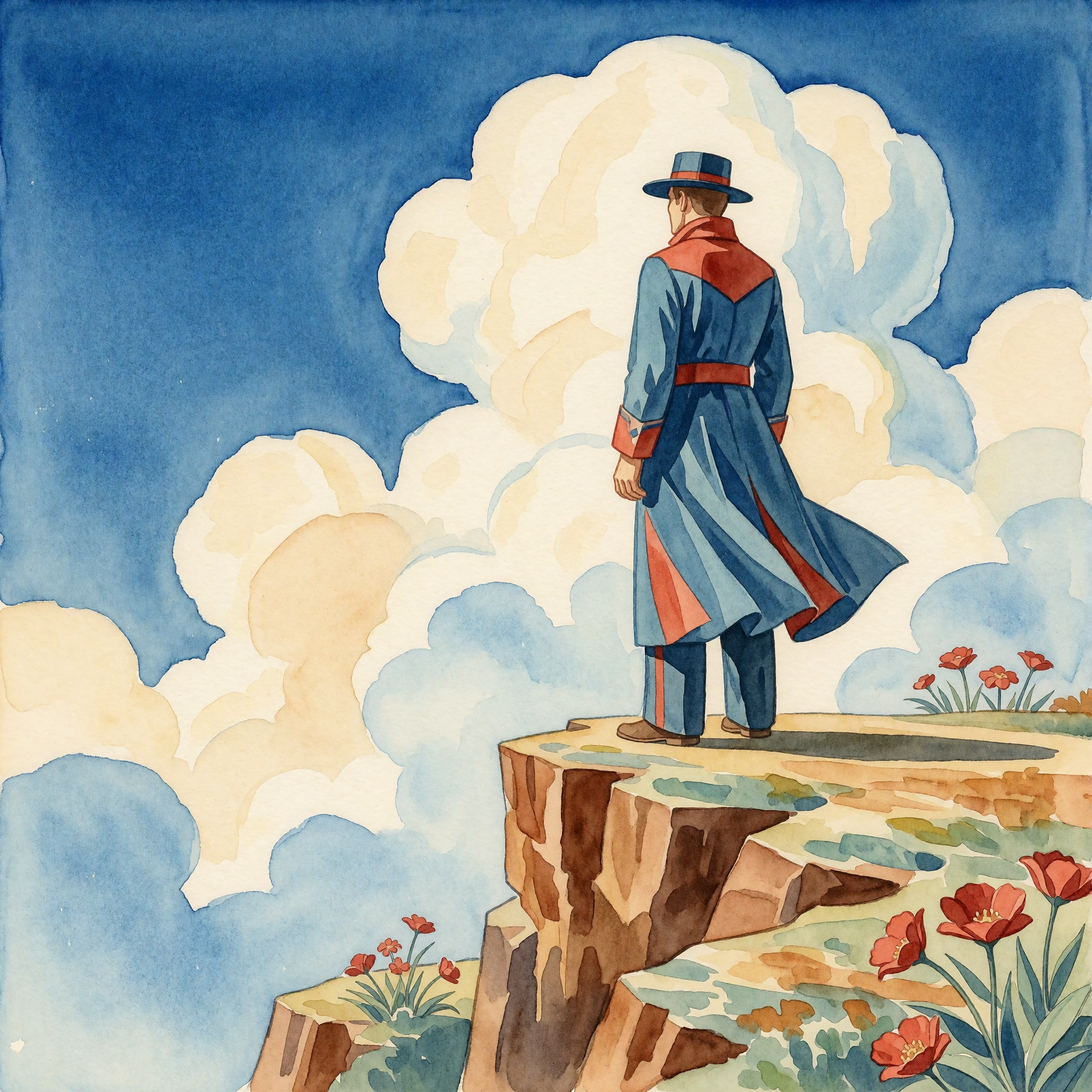

On June 23, 2026, a small team called Krea open-sourced a 12.9-billion-parameter diffusion transformer called Krea 2. Within a week, it hit the top of r/StableDiffusion, landed in the top 10 of the Artificial Analysis text-to-image leaderboard, and was running on consumer 12GB GPUs through ComfyUI. I spent a few days reading the 58-page technical report, the Reddit threads, and the community samples. Here’s what’s actually interesting about K2, what the model can and can’t do, and what the community found.
What Krea 2 is
Krea 2 (K2) is Krea’s first image model trained fully in-house. It comes in two open-weight variants:
K2 Raw is the CFG-guided base model, built for control, fidelity, and LoRA fine-tuning. This is your training model. It supports standard classifier-free guidance and gives you the normal knobs.
K2 Turbo is a distilled, few-step variant that renders up to 2K resolution in roughly 2 seconds on consumer hardware. It runs at CFG 1.0, 8 steps, and the ComfyUI community has already shipped an FP8 quantization that fits in 12GB of VRAM.
The team’s framing for the two is “train on Raw, generate with Turbo.” You fine-tune LoRAs against Raw where you need the full gradient signal, then apply those LoRAs to Turbo for fast inference. That separation is clean and mirrors how a lot of serious SD/Flux users already work.
Under the hood, K2 uses a Diffusion Transformer (DiT) architecture with grouped-query attention, sigmoid-gated attention, lightweight timestep modulation, and multilayer feature aggregation from the text encoder. The text encoder is Qwen3-VL. They integrate iREPA (improved representation alignment) and improved VAEs for faster convergence. The vocab word here is “aesthetic diversity,” not just “quality,” and the technical report spends significant space on why.
What makes the data pipeline different
Most modern image models optimize for a narrow default aesthetic. Krea’s thesis is that this kills creative exploration. If every model converges on the same polished look, you can’t use them as search tools across visual styles.
The data curation choices reflect this. They do strictly NOT use AI-generated images in the pretraining mix. The report is blunt about why: synthetic images are easier to learn, so even a small fraction biases the output distribution and imposes a quality ceiling. They trained in-house classifiers to filter them out.
For quality filtering, they reject the usual approach of using aesthetic-score models that blindly strip away motion blur, soft focus, and other deliberate artistic choices. Instead, they trained a Sparse Autoencoder (SAE) on SigLIP-2 embeddings to isolate genuine visual artifacts using unsupervised feature tagging. The result is a model that preserves stylistic breadth while removing real defects.
The training pipeline itself is multi-stage: pretraining at 256px, 512px, and 1024px (a curriculum-learning approach where low-res stages get the majority of FLOPs to build core capabilities efficiently), then midtraining with top-down domain curation, then supervised fine-tuning, preference optimization, and reinforcement learning. The final stages include a prompt expander and a style-reference system so short or ambiguous user prompts get mapped into richer visual directions without overwriting intent.
Aesthetic diversity in practice
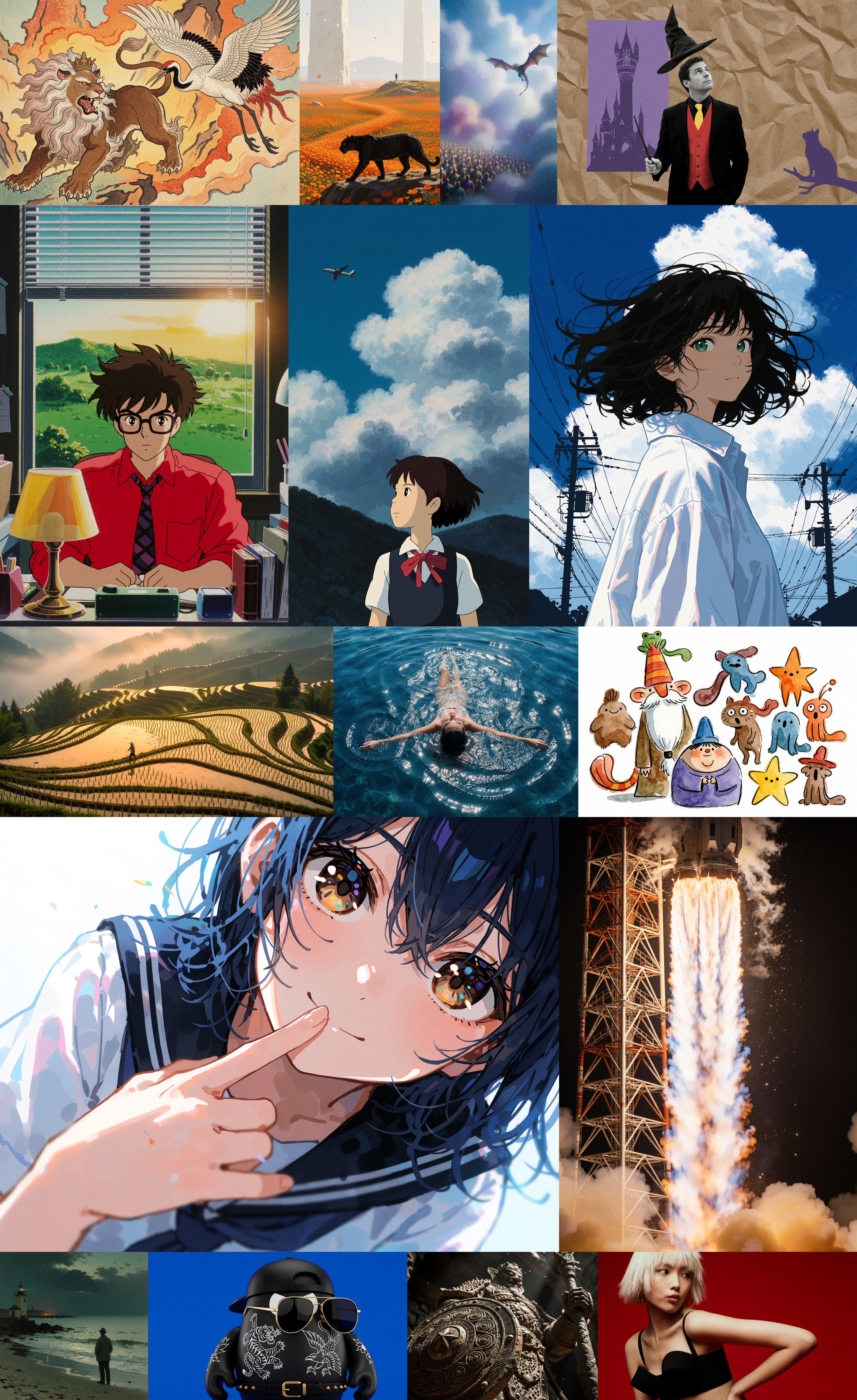
Official Krea 2 Turbo checkpoint showcase from Civitai. One model, fifteen different visual registers: ukiyo-e lions, Ghibli-style interiors, rocket photography, anime close-ups, terraced rice paddies, designer toys. The “no narrow default aesthetic” thesis is not marketing copy. It’s the actual output distribution.
The grid above is from the official Krea 2 Turbo checkpoint on Civitai. The same model produced all fifteen panels: a Japanese watercolor of a crowned lion, a Studio Ghibli-style bedroom interior, an aerial shot of a woman floating in blue water, a rocket launch in vertical cinema format, a designer toy photograph, a terraced rice paddy at dawn. The stylistic range is the single most notable thing about K2 when you actually use it. Most models lock you into one look. K2 gives you a wide space to search through.
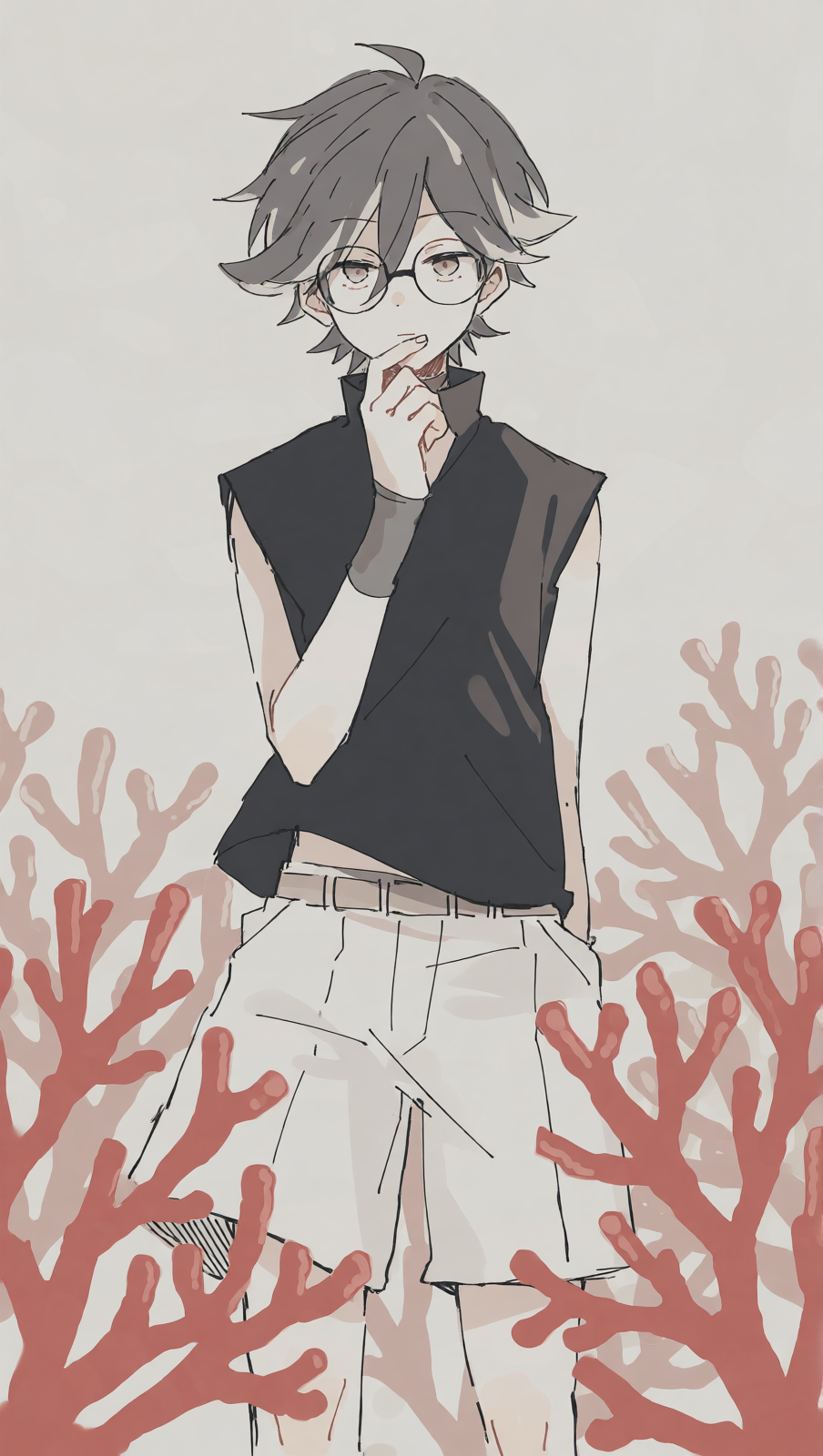
Krea 2 Turbo LoRA 256dim sample from Civitai. The sketchy line work, muted palette, and hand-drawn aesthetic are hard to get from photoreal-leaning models. K2 keeps the painterly texture intact.
Running it locally (ComfyUI FP8)
ComfyUI 0.25.0 shipped with native Krea 2 support, no custom nodes needed for basic generation. The community quickly put together an FP8 quantization that cuts the model from 24.76GB (BF16) down to 12.01GB, fitting comfortably on 16-24GB cards.
The FP8 conversion is not a blind quantization. Only 2D weight matrices went to float8_e4m3fn. All biases, normalization layers, and modulation layers stay in native precision. 266 tensors quantized, 166 preserved.
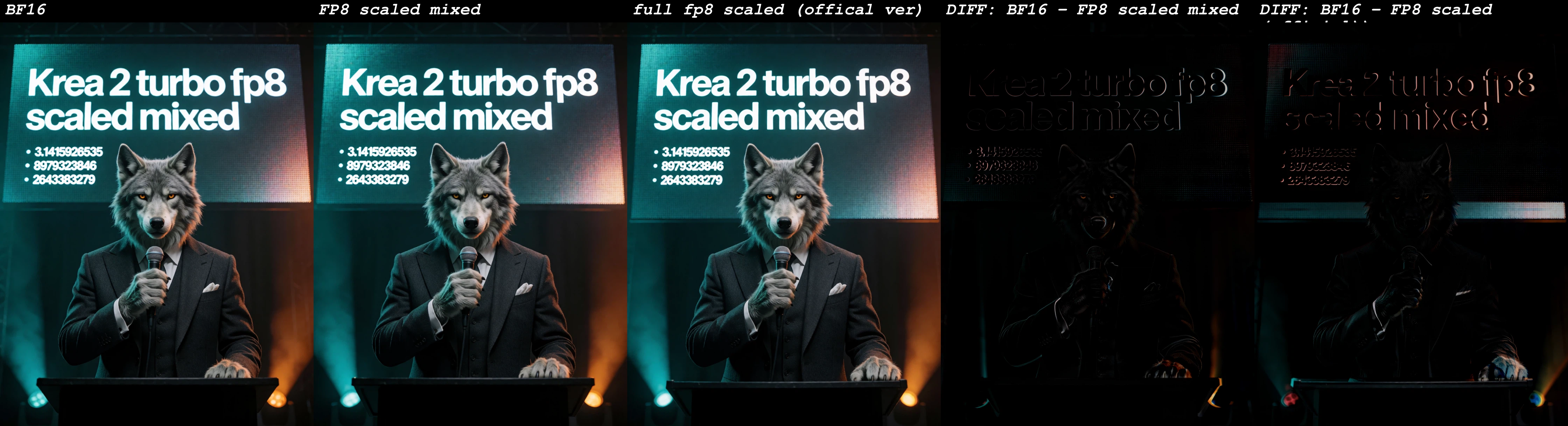
FP8 quality comparison from Krea 2 fp8/nvfp4 mixed precision on Civitai. Left three panels are full-color renders at different precisions. Right two are pixel-difference maps. The BF16 and FP8-scaled-mixed results are visually indistinguishable to the naked eye, which is the whole point.
You need three files:
- UNet (FP8): AlperKTS/Krea2_FP8, ~12GB, goes in
ComfyUI/models/unet/ - Text encoder: Comfy-Org/Qwen3-VL, ~8GB, goes in
ComfyUI/models/text_encoders/ - VAE: Comfy-Org/Qwen-Image_ComfyUI, ~250MB, goes in
ComfyUI/models/vae/
Recommended Turbo settings: 1024x1024, 8 steps, CFG 1.0, sampler er_sde, scheduler simple. That gives you 5-6 seconds per image on an RTX 5090, and it runs fine on 3090/4090 cards as well.
The LoRA ecosystem is already growing
Detail Slider LoRA for Krea 2 on Civitai. The LoRA ecosystem around K2 grew within days of release: realism enhancers, detail sliders, uncensor filters, style packs.
The K2 community moved fast. Within a week of release, Civitai already had dozens of LoRAs trained against K2 Raw: a realism enhancer that knocks out the plasticky skin look, a detail slider for prompt-driven sharpness control, style packs for specific aesthetics. The official Krea 2 LoRAs are hosted by Comfy-Org on HuggingFace, and the community LoRAs cluster on Civitai.
A practical tip from the top-voted r/StableDiffusion usage thread: run the raw model with the Turbo LoRA applied at 0.6 weight instead of using Turbo alone. Use 12 steps instead of 8. With CFG 1.0, Euler sampler and a beta/beta57 scheduler look better than Turbo’s defaults. The Wan2.1-VAE-upscale2x VAE is also recommended over the stock one for cleaner detail.
For character work, K2’s world knowledge is strong. It knows a large number of artists by name and produces recognizable stylistic results from “in the style of [artist]” prompts. It also knows fictional characters and their costumes specifically: prompt “Teen Titans (2003)” and you get the 2003 aesthetic, not the Teen Titans Go variant. For mixing character looks onto different people, “cosplaying as” works better than “wearing X’s outfit.”
What the team said in the AMA
The Krea team did an AMA in the release thread (458 upvotes, 304 comments). The head of research, u/NoVictory3497, answered questions directly. Key takeaways:
- An edit model is coming. When asked about image editing (inpainting, bounding box guidance, reference images), the researcher said they are “currently working on an edit version” but “don’t like over-promising things.” No timeline given. This was the single most requested feature in the AMA, with at least 8 separate comments asking for it.
- Quantization-friendly weights are possible. The team can do QAT (quantization-aware training) to make checkpoints more quantization-friendly. They released BF16 weights and are watching community demand for lower-bit variants. A 12GB 4070 user asked about running it; the FP8 community release already answers that, but 3-bit quantization could go further.
- They want to open-source more. The researcher said they are “quite interested in open sourcing model checkpoints depending on community interest,” and specifically mentioned the aesthetic reward model and recommended training settings for LoRAs as candidates.
The licensing question
The license is permissive for small companies and individuals, with commercial use allowed. A free tier covers most indie use. Some users flagged concern that the license is revocable, which creates risk for small companies building products on top of it. The team’s position is that the terms are designed to be generous while protecting against large-scale commercial redistribution without agreement.
The censorship angle
Several top comments in the release thread called Krea 2 “one of the least censored base model releases we have seen in a very long time” (u/Murinshin, 67 upvotes). The built-in safety filter exists but is described as “ridiculously easy to disable.”
Within days, a community ComfyUI custom node (ComfyUI-ConditioningKrea2Rebalance) and several uncensor LoRAs appeared on Civitai. The community observed that the censorship filter hurt more than just NSFW generation; it also dampened expressions, prompt responsiveness, and certain artistic styles. Removing it improved overall output quality for several non-explicit use cases.
Verdict
Krea 2 does not beat FLUX2 or Midjourney v8 on every axis. What it does is give you a top-10 image model that runs on your own hardware, for free, with weights you can train against. The “aesthetic diversity” thesis is real; the model does not default to one polished look, and the data pipeline honestly earns the claim.
For local-run practitioners, the value proposition is clear: the FP8 Turbo fits on a 12GB card, ComfyUI has native support, the LoRA ecosystem is already growing, and the team is actively responding to community requests. The edit model and control nets are the obvious next steps, and if those land, Krea 2 becomes a serious production tool, not just a creative exploration one.
Sources: Krea 2 Technical Report, Krea 2 Open-Source Release (r/StableDiffusion), Krea 2 AMA, Krea 2 Turbo Official Checkpoint on Civitai, Krea 2 Official LoRAs on Civitai, Krea2 FP8 ComfyUI Workflow, VentureBeat coverage. Community samples sourced from Civitai Krea 2 base model listings.